Two frictions, one game.
A speculative UX rework of two pain points in TOTK — a flat inventory that doesn't scale, and an armour upgrade flow that never learned to batch. Same root cause, two different surfaces.
A grid that forgot to grow. Three taps for one upgrade.
This project started mid-playthrough, around hour forty. Two things kept breaking flow: finding the right material in a grid that doesn't organise itself, and upgrading three armour pieces when the Great Fairy only works one at a time.
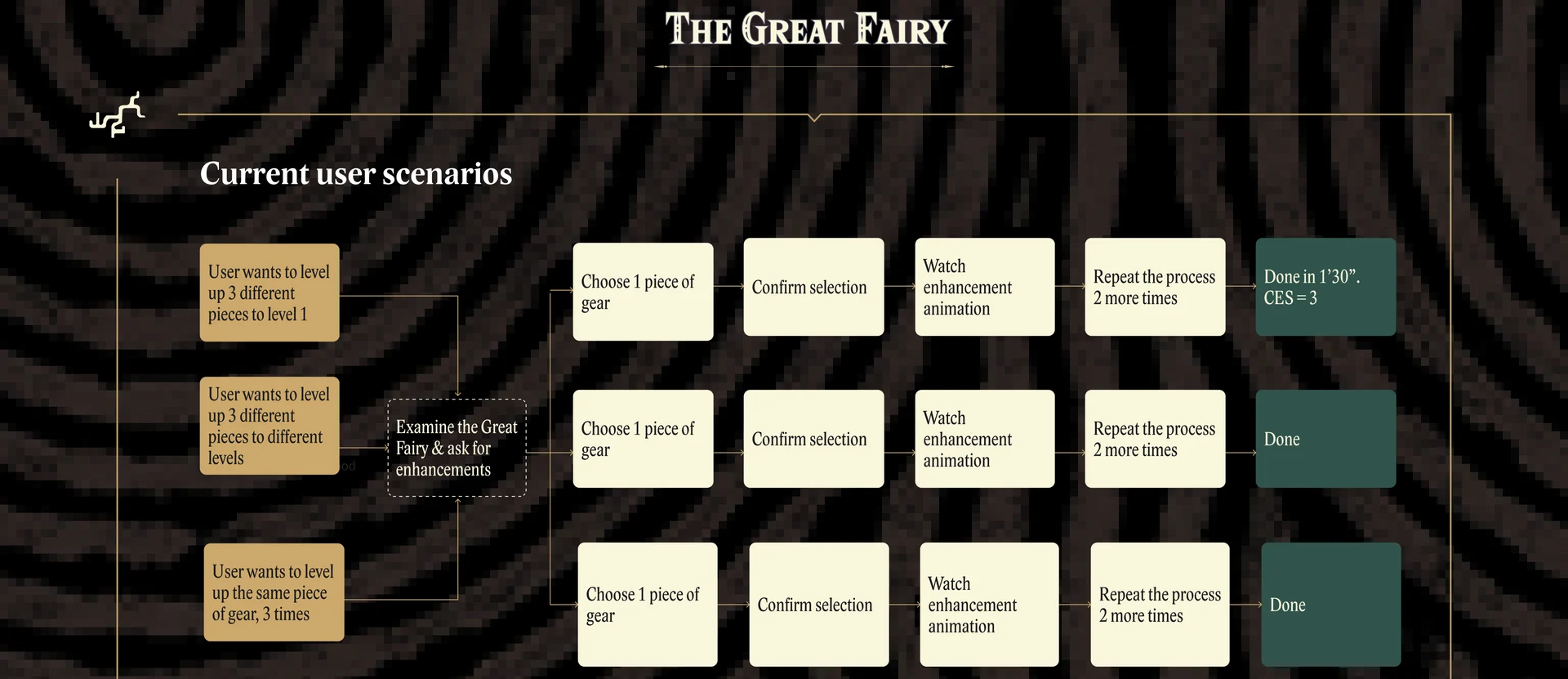
The inventory is one unbroken grid per tab — by hour forty, carrying 107 Brightbloom Seeds, 54 Sunset Fireflies, 43 Fire Keeses and a full set of mismatched armour, findable means memorised location. And upgrading armour is a sequence of five inputs — examine, choose gear, pick materials, confirm, watch animation — repeated once per level, per piece, with no way to batch.
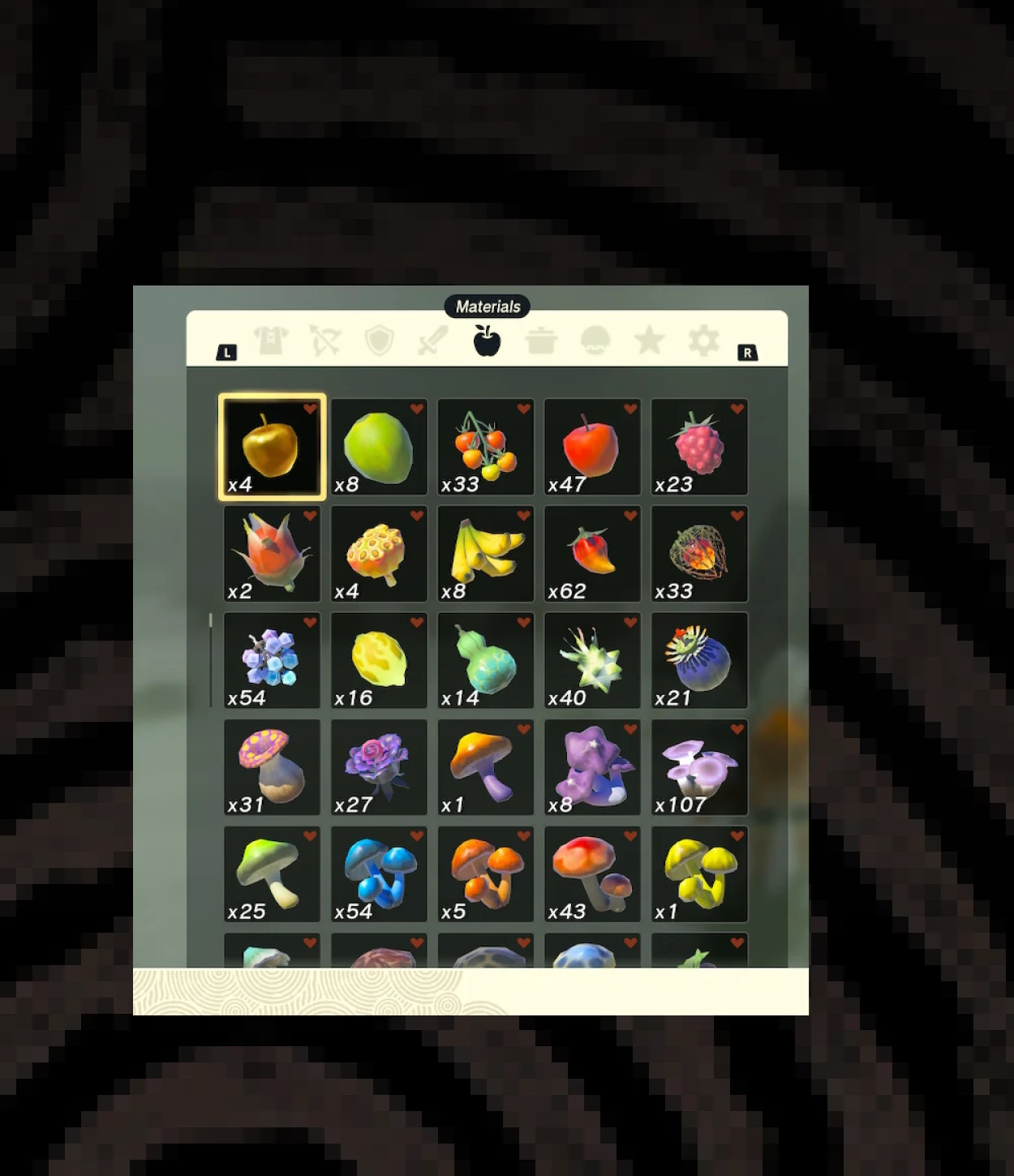
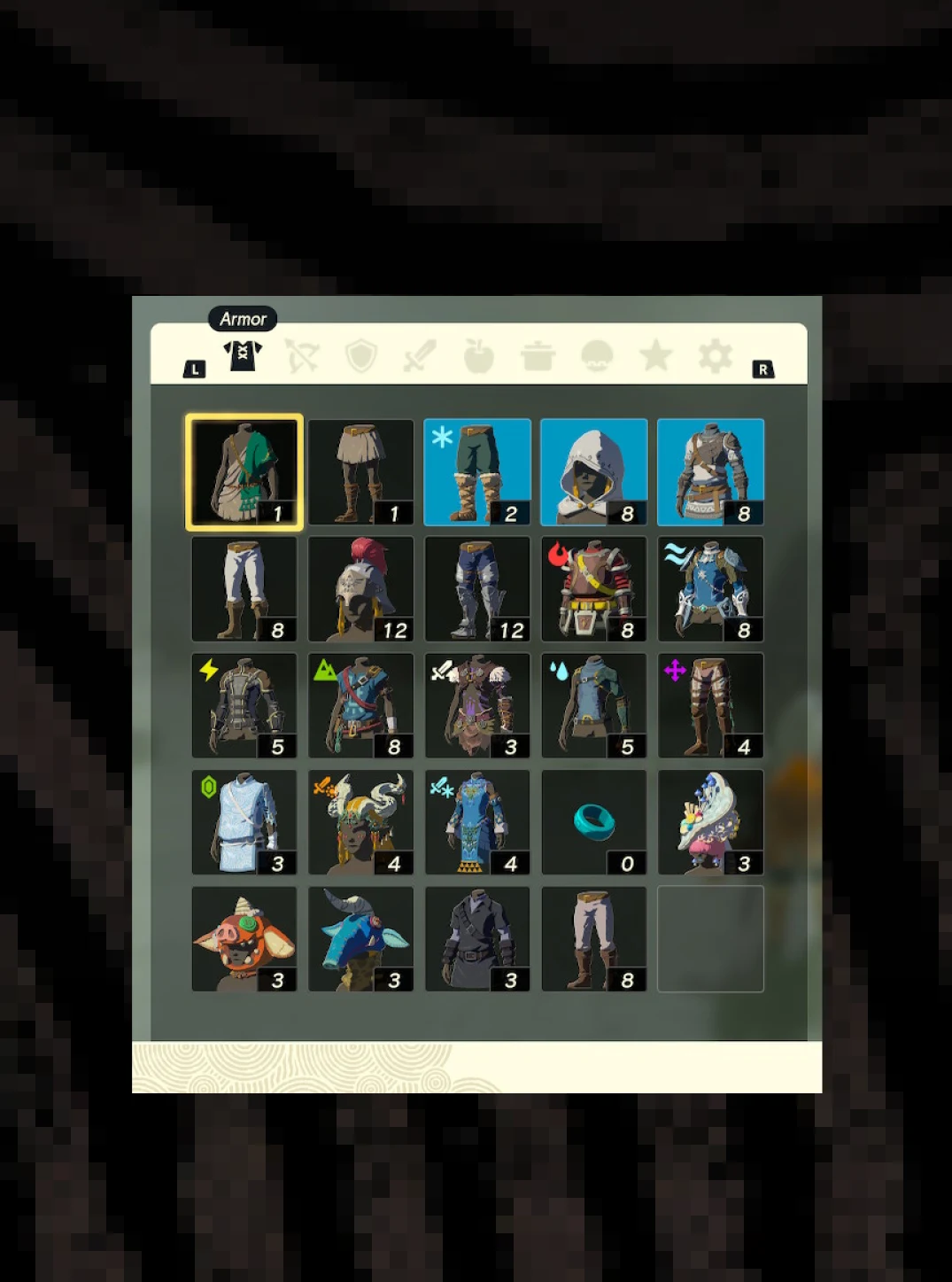
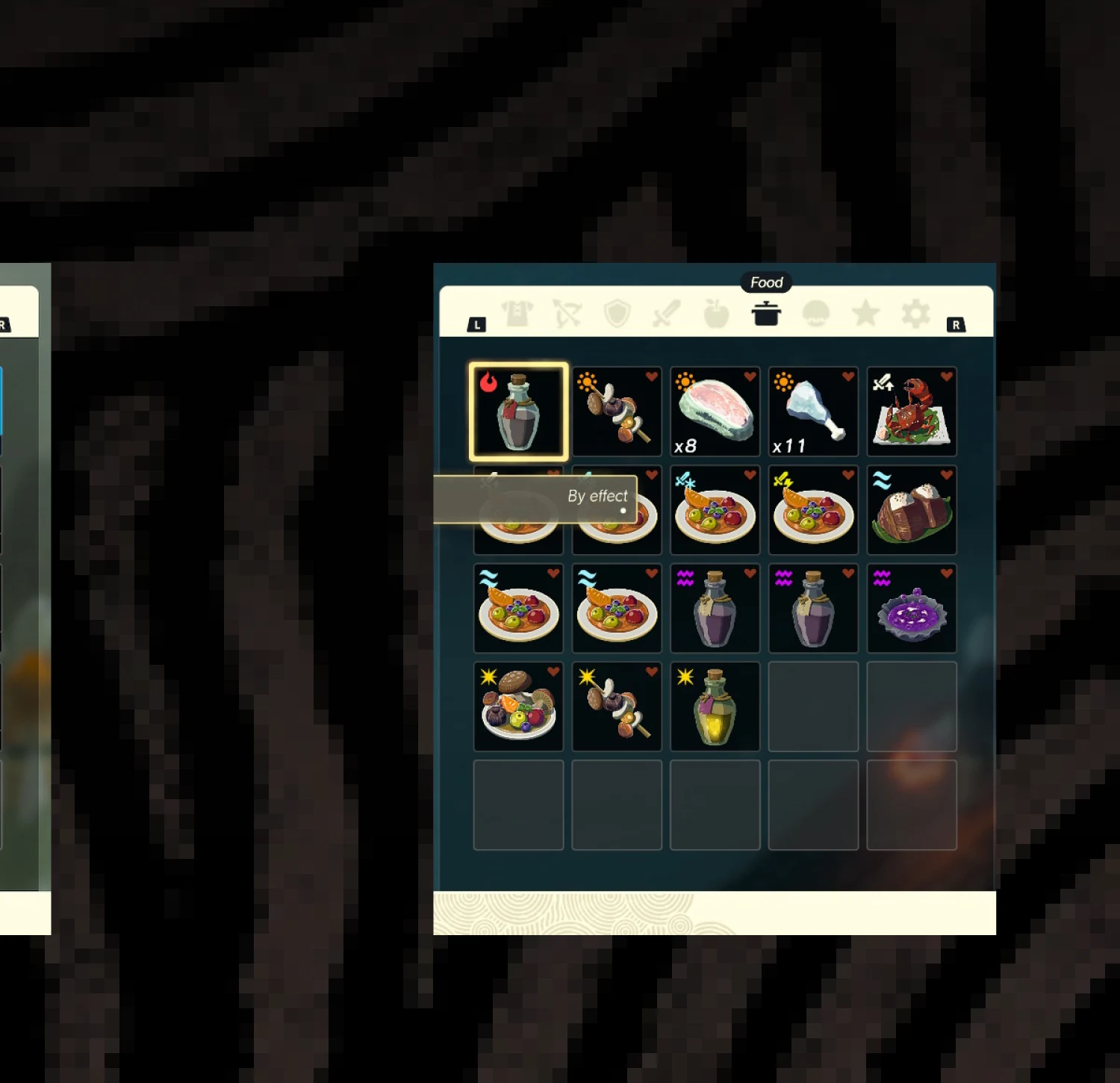
Storage, not a decision surface.
For the player: these aren't quality-of-life edge cases. Sort options exist — by type, by effect — but they only reorder a flat list; you still can't tell at a glance that three gear pieces form a set, or that twelve ingredients share a trait you'll need at the next upgrade. Want to level three pieces at the Fairy? You repeat the same five-input loop three times.
For the design: the same root sits under both frictions — the UI treats the player's collection as storage, not as a decision-making surface. The inventory groups are for the moment before crafting — "what do I have?" The batch upgrade is for the moment at the Fairy — "now let me use it all at once."
Every layer, solo.
Solo UX/UI designer, self-initiated: spotted both frictions from my own playthrough, designed both interventions — the inventory grouping layer and the batch upgrade flow — wireframed every screen, and built the clickable prototype.
Add structure, not new surface.
Both fixes follow the same rule: never add a screen when you can add structure. For the inventory, that meant a grouping layer — one collapsible group header per logical category — instead of a new tab. For the Great Fairy, it meant one re-purposed input: press Y on the gear list to enter multi-select mode, instead of a new menu or a new button on the gamepad.
The rest of each flow stays exactly as Nintendo designed it — same sort options, same materials grid, same confirmation, same upgrade animation — only now organised, or operating on a list instead of a single item.
The group header says what the player already knows. Same flow, batched.
Three panels, one repurposed key.
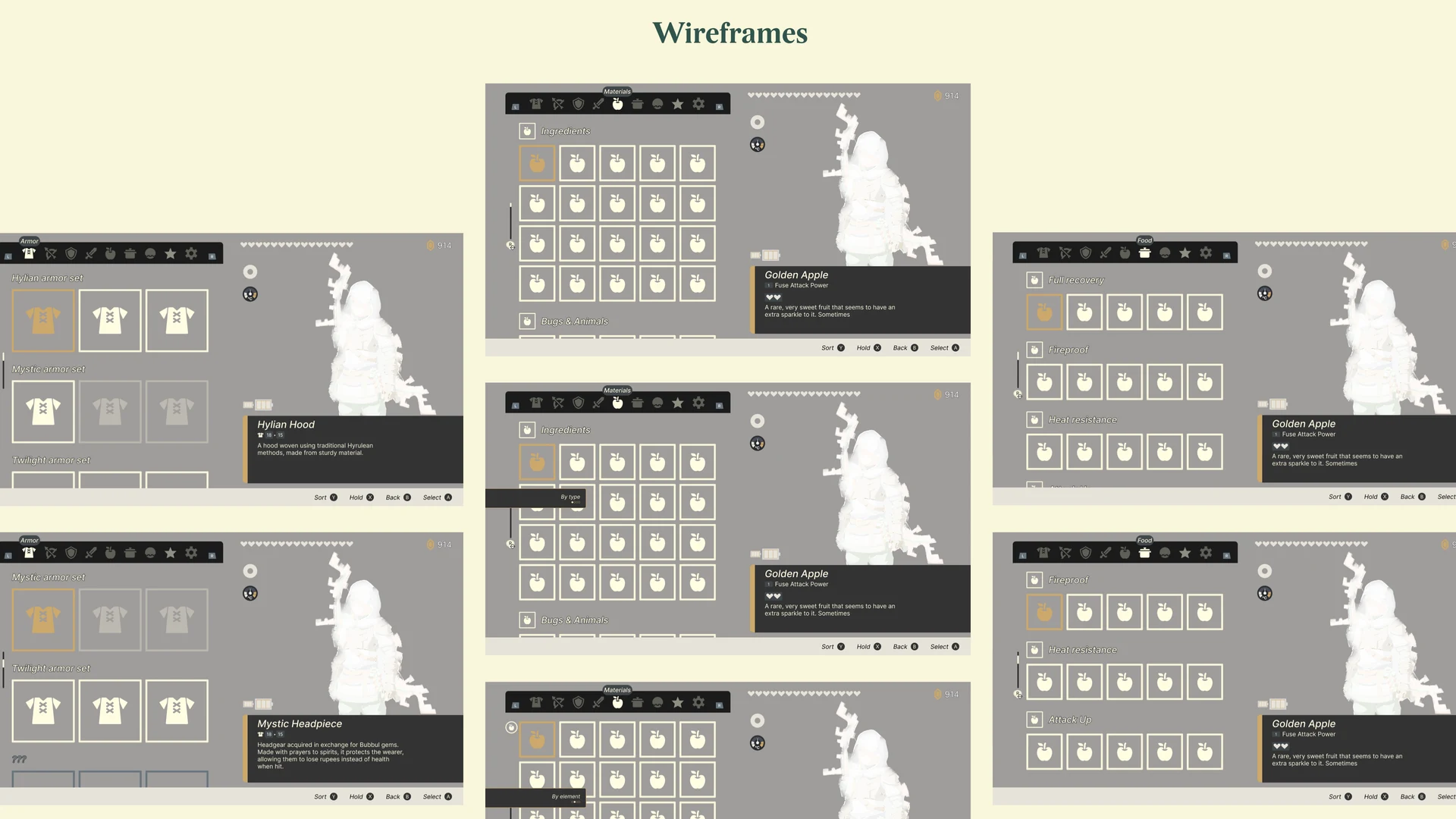
Each inventory tab gets its own grouping logic, matching the mental model players already bring when they open it — Materials by ingredient family, Armour by set, Food by effect. The only new element is the group row; the detail pane on the right is untouched. The Armour tab is the most impactful change: for the first time the game tells you that three pieces belong together as a set — useful exactly when you're deciding what to bring to the Fairy.
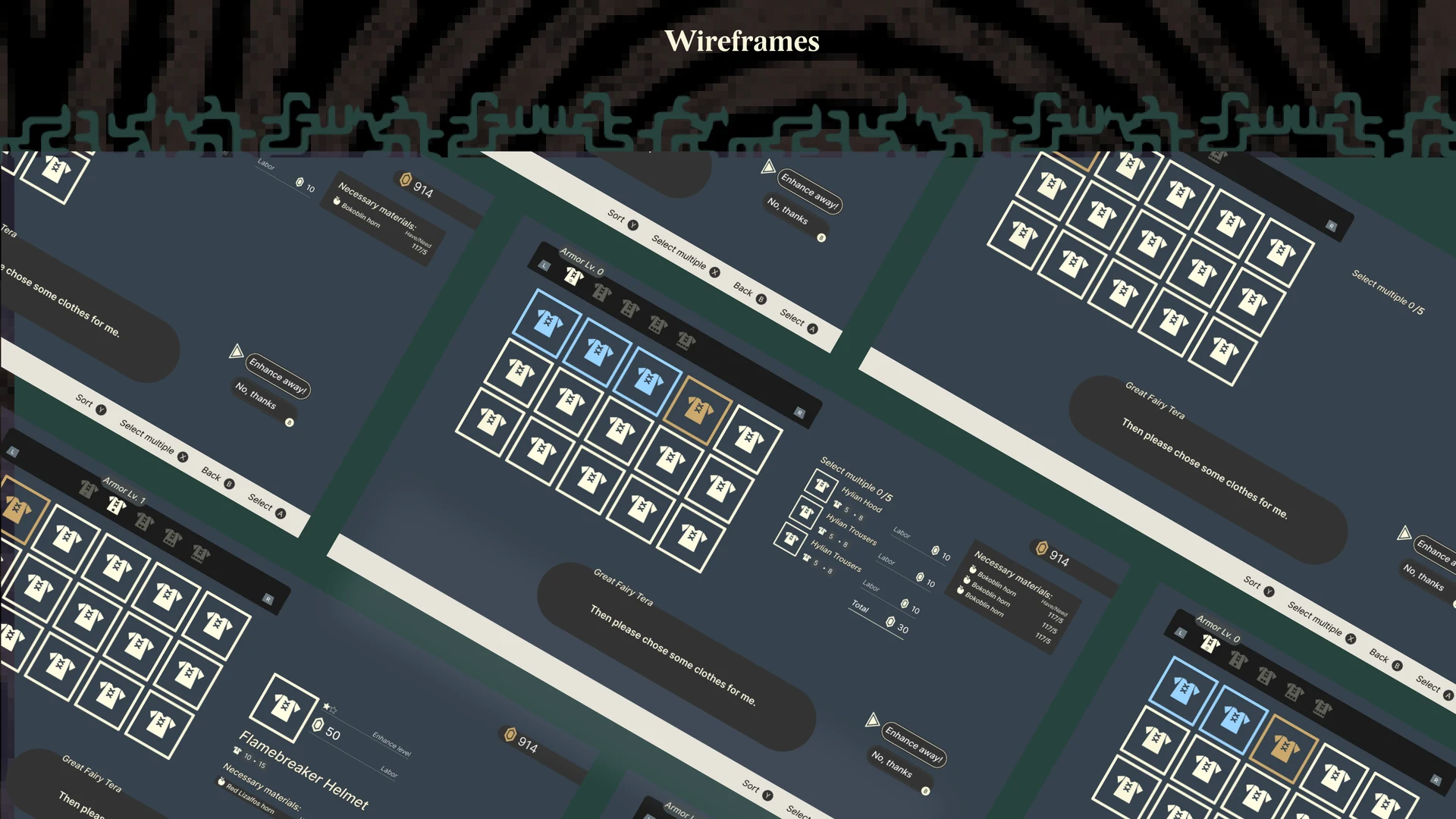
The Great Fairy — batch in one pass
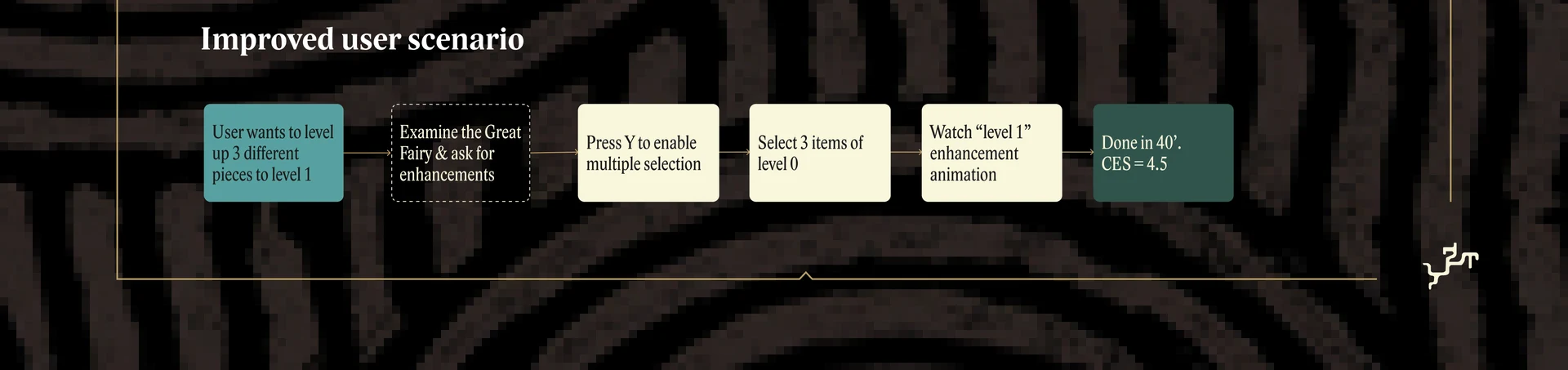
This is also where the Armour grouping pays off: you can arrive at the Fairy already knowing which set to upgrade next. Seven screens, and step 02 — multi-select — is the only new state. Everything downstream falls out naturally: the confirmation screen shows N materials per item, the animation plays per piece, the end card sums the result.
Prototype: a clickable Figma build, gated by gamepad inputs, lets both interventions be walked start to finish — the inventory grouping and the batch upgrade flow are both navigable from the same starting point.
Self-tested, under the timer.
The inventory grouping wasn't timed — its value is qualitative. The upgrade flow was self-tested with a stopwatch and a Customer Effort Score against two scenarios: levelling one piece three times, and levelling three different pieces.
What changed under the timer.
The grouping layer's own value stayed qualitative: context available at the moment you need to decide, not buried six scrolls down.